


Keep your Linux environment secure with enterprise-grade protection designed specifically for open-source systems. Avast Business Antivirus for Linux delivers advanced malware detection, continuous scanning, and real-time protection to safeguard your servers and endpoints from viruses, ransomware, spyware, and other emerging threats.
Whether you’re running a small business or managing a large network infrastructure, this solution integrates seamlessly with most popular Linux distributions. It operates silently in the background with low system resource usage, making it ideal for mission-critical systems that demand reliability and uptime.
Pros:
- Designed specifically for Linux systems
- Low system impact, perfect for servers
- CLI-based controls for remote or headless configurations
- Scalable for business environments of all sizes
- Fast installation and minimal configuration required
Cons:
- No graphical user interface (GUI), which may not suit users unfamiliar with terminal commands
- Not intended for personal desktop Linux users – geared toward business use cases
- May require basic Linux admin knowledge for optimal configuration
System Requirements:
Next-gen Linux server antivirus
Reliable & high-performance security
- Supports both 32-bit and 64-bit systems
- Supports various operating systems like Red Hat, Debian, and Ubuntu
- Can find malware on dual-booted systems with other operating systems
- Developed and updated continuously
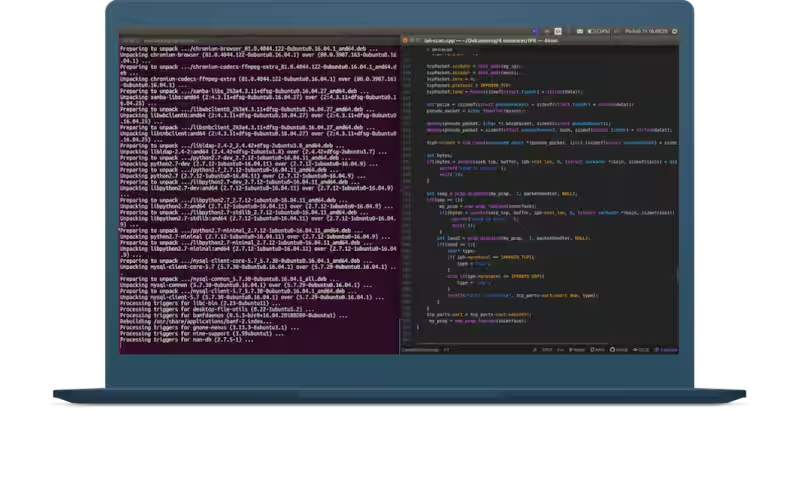
Linux business security
Scan result outputs
View results of every malicious file detected on separate lines that show you clean files, files that could not be scanned, and files excluded from the scan.
File Server Shield
A real-time file scanner that scans files written to any of the monitored mount points. Supports fanotify-based ”on write” file system shield, designed for file server usage that protects your files efficiently both on Samba and NFS.
Everything you need to know about next-gen antivirus for Linux servers
How do I install and set up new protection?
The Avast Business Antivirus for Linux servers is installed in two steps:
1) Add the Avast repository to the system repositories.
2) Get the desired packages from the repository.
How do I configure an antivirus scan for Linux OS?
The configuration file format is INI file format, i.e. it consists of KEYWORD = VALUE entries, each on a separate line. Lines beginning with ‘;’ are treated as comments and are ignored. Keys may be grouped into arbitrarily named sections. The section name appears on a line by itself, in square brackets ([ and ]).
Secure business devices with reliable antivirus protection
Mac antivirus
Despite the common misconception that Macs are immune to cyberattacks, they still need reliable endpoint protection just like any other device. Our solution delivers proactive defense against malware, protection for sensitive data, and more.
Windows antivirus
Protect your Windows networks with antivirus that secures your business data, prevents cyberattacks, and grows with your business.
Antivirus for Windows servers
Secure your SharePoint and Exchange servers to ensure that all business data and emails are protected against malware, spam, and other cyberthreats.




Reviews
There are no reviews yet.